






A PostgreSQL plugin for Tabularis, the open-source database client.
This plugin connects Tabularis to PostgreSQL via a standalone Rust binary speaking JSON-RPC 2.0 over stdio, replacing what was originally a built-in driver compiled directly into the Tabularis application. It is byte-for-byte behaviorally identical to that built-in driver, proven by an 82-test parity suite that runs both drivers against the same live database and compares every response.
Requires Tabularis v0.20.0 or later. This plugin relies on the plugin runtime introduced in that release; it will not load on earlier versions of Tabularis.
- Features
- Screenshots
- Connection Configuration
- Supported PostgreSQL Data Types
- Installation
- How It Works
- Supported Operations
- Building from Source
- Development
- Changelog
- Maintainers
- License
- Connection — Host/port or connection-string connections, with SSL (
disable,allow,prefer,require,verify-ca,verify-full) viarustls. - Schema Browsing — Databases, schemas, tables, views, materialized views, routines (functions/procedures), and triggers.
- Column & Key Metadata — Column types (including enum labels and pgvector-style
extension types via
udt_namefallback), indexes (including composite/unique), foreign keys (including cross-schema). - Query Execution — Arbitrary SQL with pagination,
EXPLAIN/EXPLAIN ANALYZE, and multi-statement batches that share a single connection (soBEGIN/COMMIT, temp tables, andSETsurvive across statements). - Inline Editing — Insert, update, and delete rows directly from the Tabularis
data grid, with type-aware value binding (enum
CAST, UUID, JSON/JSONB, arrays, temporal types, BLOB wire format). - DDL Generation —
CREATE TABLE,ADD COLUMN,ALTER COLUMN(including implicit-cast-compatibleTYPEchanges),CREATE INDEX,ADD CONSTRAINT FOREIGN KEY, plus the corresponding drops. - Column Comments — The
column_commentscapability enables descriptions in Add/Modify Column. Comment edits generateCOMMENT ON COLUMN; clearing a description removes it withIS NULL, without restating the column definition. - View & Trigger Lifecycle — Create/alter/drop views, create/drop triggers, refresh materialized views.
- BLOB Support — Export a
byteacolumn to a file or preview it as a MIME-sniffed data URL. - Cross-platform — Pre-built binaries for Linux (x86_64/aarch64), macOS (x86_64/aarch64), and Windows (x86_64).
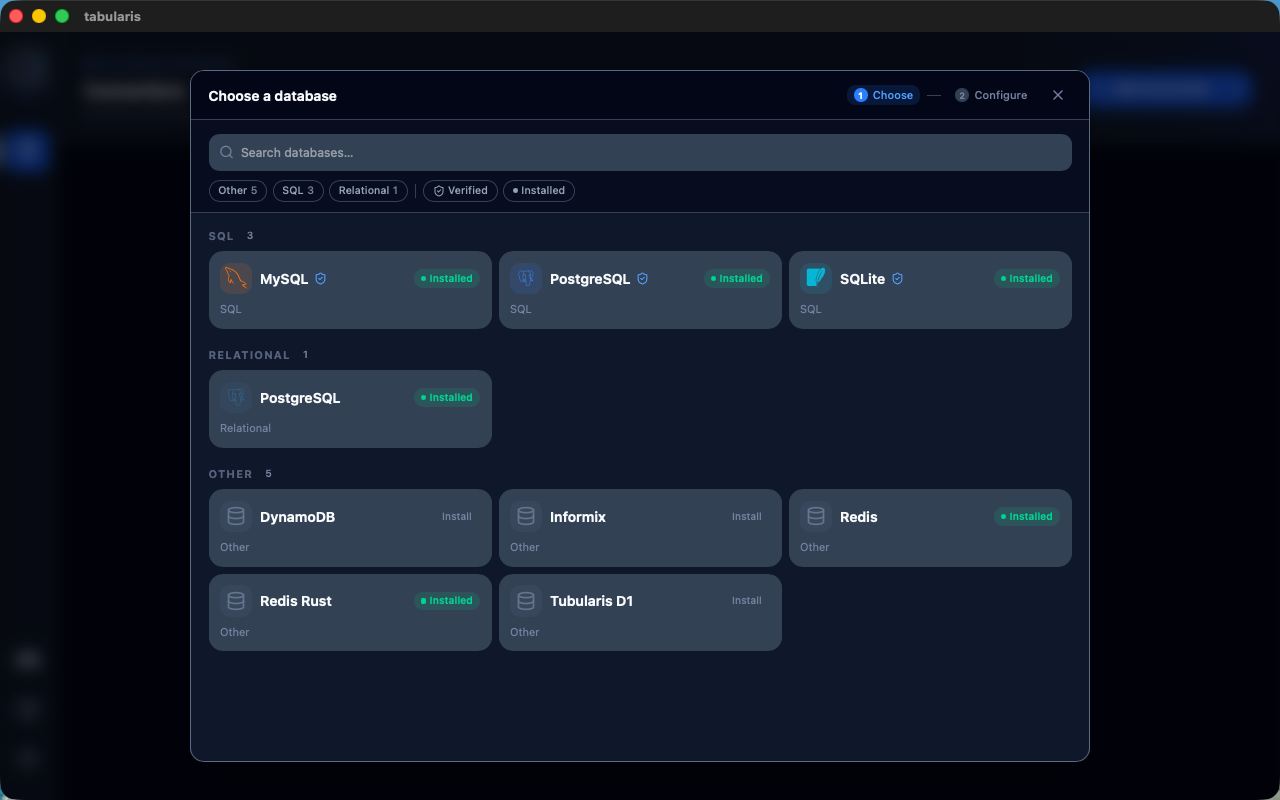 PostgreSQL in the database picker |
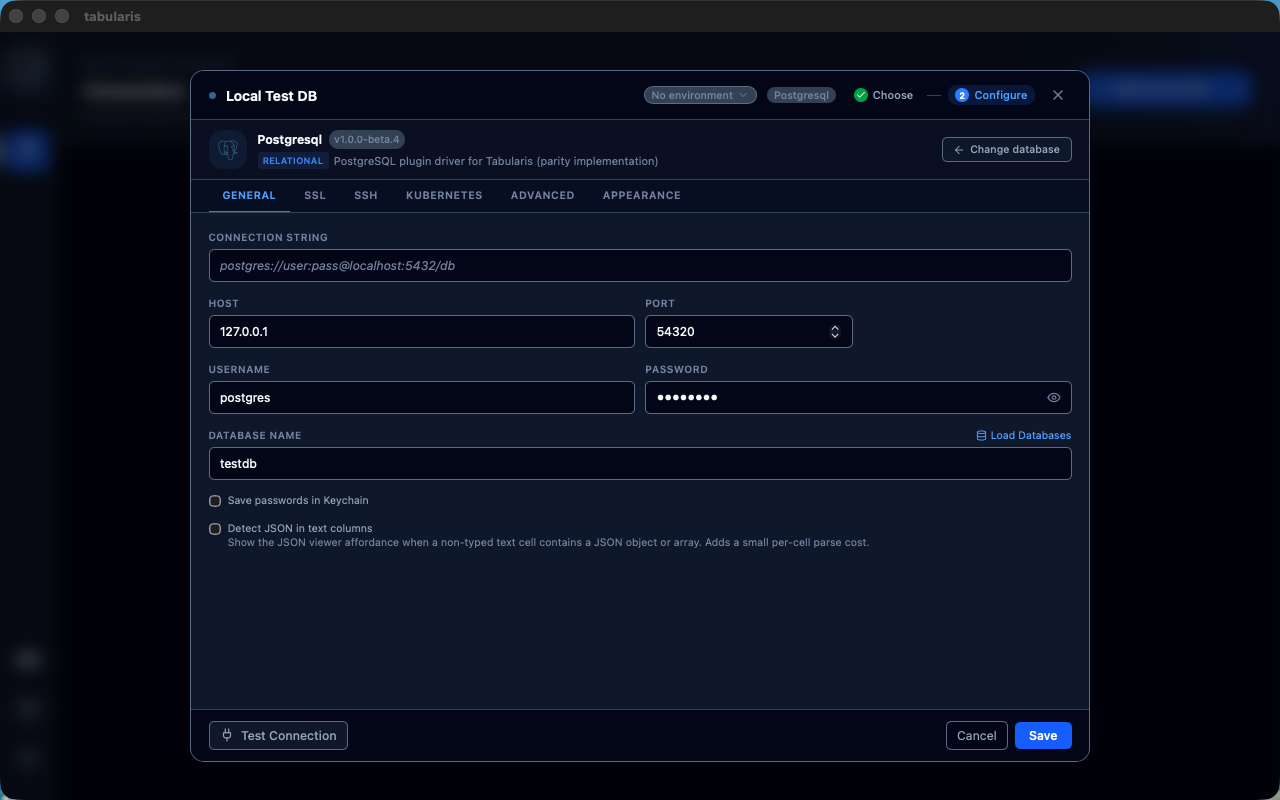 Connection configuration |
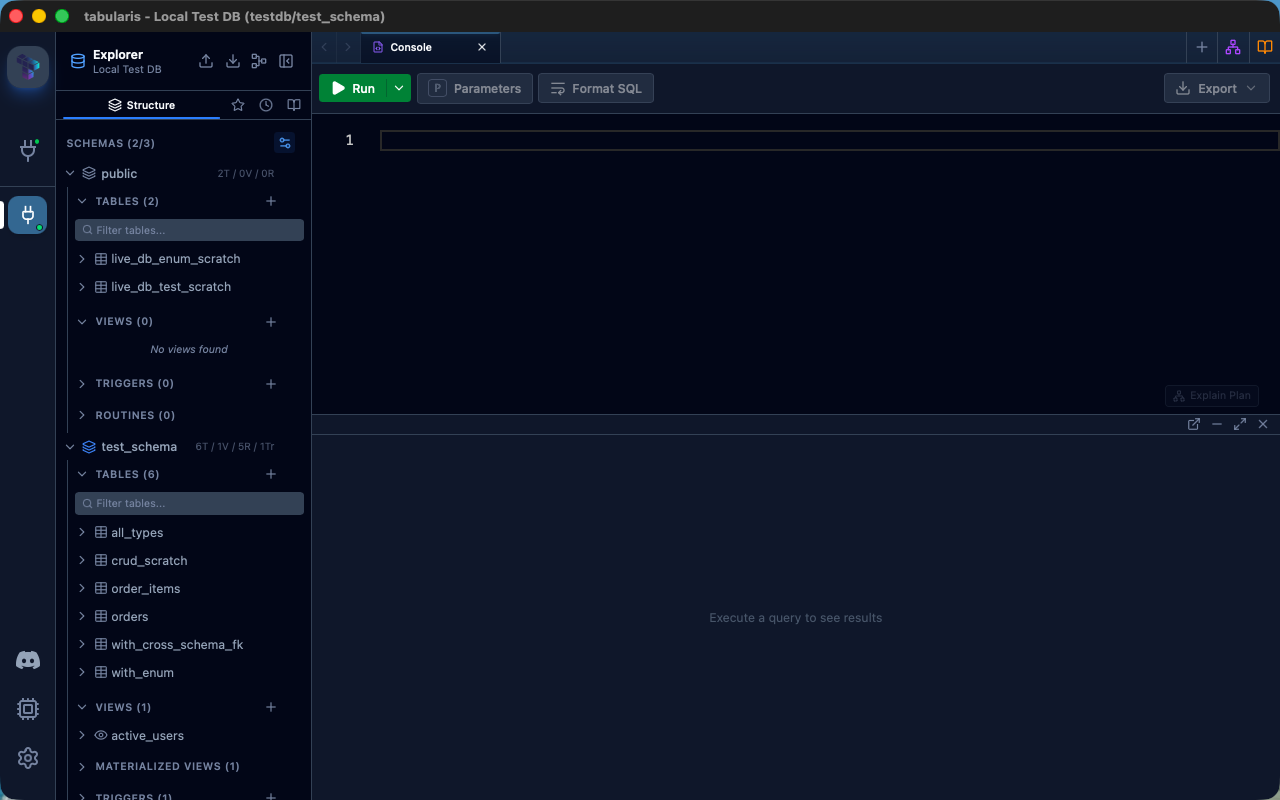 Multi-schema browsing |
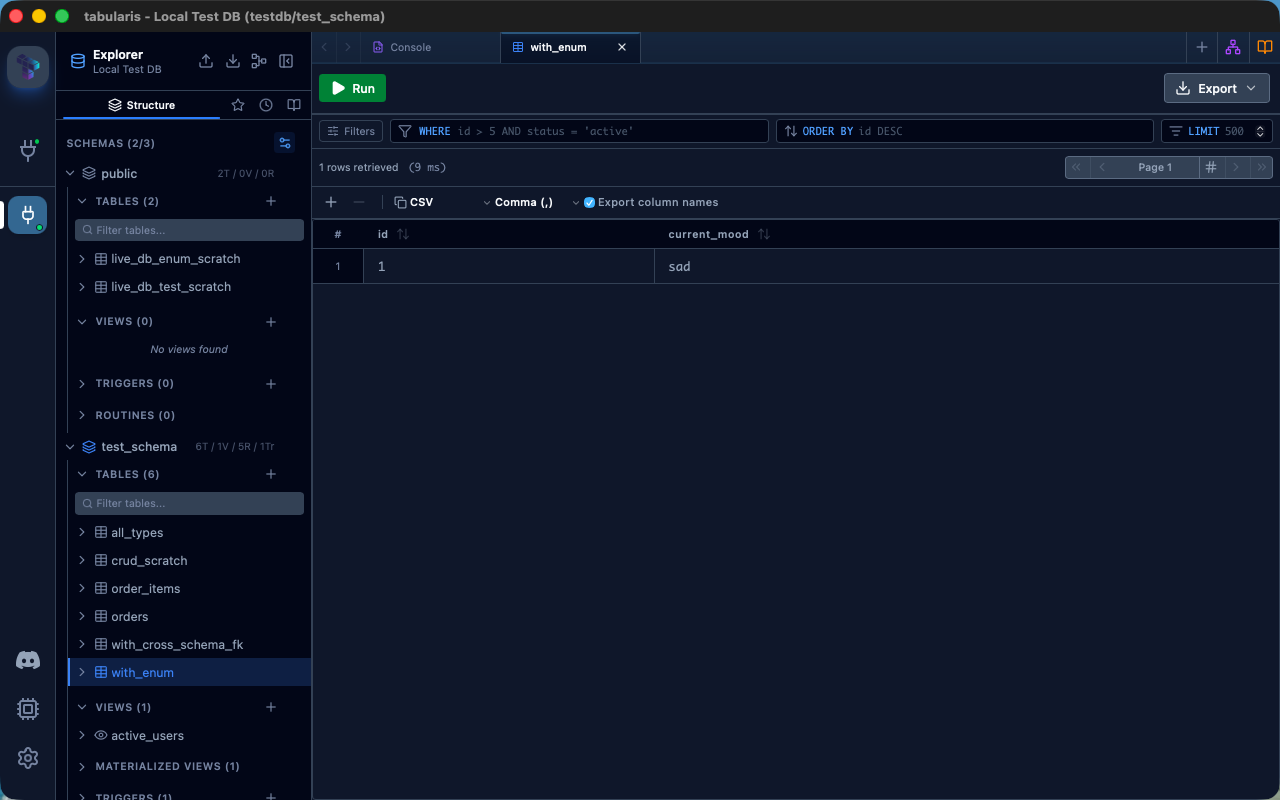 Data grid with enum support |
| Parameter | Description | Required |
|---|---|---|
host |
PostgreSQL server hostname | Yes (unless using connection_string) |
port |
PostgreSQL server port (default 5432) |
No |
database |
Database name to connect to | Yes (unless using connection_string) |
username |
Database user | Yes (unless using connection_string) |
password |
Database password | If required by the server |
ssl_mode |
disable, allow, prefer, require, verify-ca, or verify-full |
No |
ssl_ca |
Path to a custom CA bundle PEM file. Required for verify-ca (platform roots aren't used for this mode); optional for verify-full, where it overrides the system trust store |
No |
ssl_cert |
Path to a client certificate PEM file, for servers requiring mutual TLS (e.g. Google Cloud SQL). Must be set together with ssl_key |
No |
ssl_key |
Path to the private key PEM file matching ssl_cert. Must be set together with ssl_cert |
No |
unix_socket_path |
Path to a Unix socket file (/var/run/postgresql/.s.PGSQL.5432) or its directory. When set, the plugin dials the socket instead of host/port, and TLS is forced off (a socket peer cannot negotiate it). The host strips this when a tunnel is active, so the tunnel owns the route |
No |
connection_string |
Full postgres://user:pass@host:port/db URL, as an alternative to the discrete fields above |
No |
startup_script |
SQL run on every new pooled connection (e.g. SET search_path = ...) before it's handed to a query |
No |
| Category | Types |
|---|---|
| Numeric | SMALLINT, INTEGER, BIGINT, SERIAL, BIGSERIAL, REAL, DOUBLE PRECISION, NUMERIC, DECIMAL, MONEY |
| String | CHAR, VARCHAR, TEXT |
| Date/Time | DATE, TIME, TIMESTAMP, TIMESTAMPTZ, INTERVAL |
| Other | BOOLEAN, UUID, INET, CIDR, MACADDR |
| JSON | JSON, JSONB |
| Binary | BYTEA |
| Ranges | INT4RANGE, INT8RANGE, NUMRANGE, TSRANGE, TSTZRANGE, DATERANGE |
| Arrays | SMALLINT[], INTEGER[], BIGINT[], REAL[], DOUBLE PRECISION[], TEXT[], VARCHAR[], BOOLEAN[] |
This plugin is published on the Tabularium registry — the same one the DuckDB and Elasticsearch plugins ship through. Install it from Tabularis's in-app plugin browser: Settings → Plugins, search for PostgreSQL, and install.
If you point Tabularis at a different Tabularium instance via
tabulariumRegistryUrl in config.json, make sure that registry has
ingested this plugin's releases first.
-
Download the latest release for your platform from the Releases page — look for the most recent
1.0.0-rc.Ntag (releases through1.0.0-beta.10shipped on thebetachannel; new releases from1.0.0-rc.1onward ship on thercchannel — see Contributing: PR Titles & Versioning). -
Extract the archive.
-
Copy
postgresql-plugin(orpostgresql-plugin.exeon Windows) and.tabulariuminto the Tabularis plugins directory:OS Plugins Directory Linux ~/.local/share/tabularis/plugins/postgresql/macOS ~/Library/Application Support/tabularis/plugins/postgresql/Windows %APPDATA%\tabularis\plugins\postgresql\ -
Restart Tabularis.
The plugin is a standalone Rust binary that communicates with Tabularis through JSON-RPC 2.0 over stdio:
- Tabularis spawns the plugin as a child process.
- Requests are sent as newline-delimited JSON-RPC messages to the plugin's
stdin. - The plugin connects to PostgreSQL using
tokio-postgres/deadpool-postgresand writes responses tostdout.
Connection pools are cached in-process, keyed by
host:port:database:user:startup_script plus every TLS param
(ssl_mode/ssl_ca/ssl_cert/ssl_key), so repeated calls against the
same target with identical connection settings reuse an existing pool
instead of reconnecting.
| Method | Description |
|---|---|
initialize / shutdown |
Plugin lifecycle hooks called on load and unload |
test_connection / ping |
Verify connectivity with a lightweight SELECT 1 |
get_databases |
List databases on the server |
get_schemas |
List schemas in the connected database |
get_tables |
List tables in a schema |
get_columns / get_view_columns / get_materialized_view_columns |
Column metadata for tables, views, and materialized views |
get_table_ddl |
Reconstructed CREATE TABLE statement for an existing table, used by schema dumps |
get_indexes |
Index metadata, including composite and unique indexes |
get_foreign_keys |
Foreign key metadata, including cross-schema references |
get_views / get_view_definition / create_view / alter_view / drop_view |
View lifecycle |
get_materialized_views / get_materialized_view_definition / refresh_materialized_view |
Materialized view lifecycle |
get_routines / get_routine_parameters / get_routine_definition |
Function/procedure metadata |
get_triggers / get_trigger_definition / create_trigger / drop_trigger |
Trigger lifecycle |
execute_query / execute_query_batch / explain_query |
Query execution, multi-statement batches, and query plans. Both query methods accept an optional session_id that keeps the connection while an explicit transaction is open |
release_session |
Rolls back and releases the connection a session pinned for an open transaction |
insert_record / update_record / delete_record |
Row-level CRUD with type-aware value binding |
get_create_table_sql / get_add_column_sql / get_alter_column_sql / get_create_index_sql / get_create_foreign_key_sql / drop_index / drop_foreign_key |
DDL generation and execution |
save_blob_to_file / fetch_blob_as_data_url |
BLOB (bytea) export and preview |
import_database_sql |
Transactional SQL file import: the whole file runs in one transaction, all-or-nothing |
The plugin declares independent empty_database, truncate_database, and
drop_database capabilities for Tabularis's More Database Operations menu.
Empty removes user objects while preserving the database and schema ownership,
permissions and comments. Truncate clears all local user tables across schemas
and resets identities without dropping objects; foreign tables are rejected.
Both operations use a transaction. Drop connects through postgres and refuses
protected databases or databases still used by other sessions; it never forcibly
terminates unrelated clients. The explicit browsed database overrides the database
embedded in a legacy connection string. Read-only requests are rejected.
import_database_sql runs a .sql file in a single transaction on a dedicated
connection, so any failing statement rolls the whole import back. The error
names the statement number, its line and its text. The import prepends the
requested schema (default public) onto the connection's base search_path,
sets SET CONSTRAINTS ALL DEFERRED and SET LOCAL synchronous_commit = OFF,
and checks deferred constraints before COMMIT while the file's own session
state is still in place. Unlike the former built-in driver, which replaced the
search_path, the base path stays reachable, so unqualified names that are
absent from the requested schema can still resolve through it. The Tabularis
host does not send a target schema over this RPC yet, so today every import
uses public. Statements are split on ; outside strings, quoted identifiers,
dollar-quoted bodies, comments, parentheses and BEGIN ATOMIC bodies, and are
streamed from disk with only a few held in memory. A single statement is
limited to 1 GiB, the most PostgreSQL accepts. The plugin reports no progress
while it runs, only the final statement count.
Because the import owns the transaction, BEGIN and COMMIT lines in the file
are skipped, and the returned count covers only the statements that ran.
ROLLBACK, COMMIT AND CHAIN, PREPARE TRANSACTION,
COPY ... FROM STDIN / TO STDOUT and psql meta-commands (\connect, \i)
are rejected with an explanation (\restrict and \unrestrict, which recent
pg_dump versions emit, are skipped); use pg_dump --inserts for dumps that
would otherwise rely on COPY ... FROM STDIN. A file's own
SET TRANSACTION ISOLATION LEVEL still works, but the options on a BEGIN
line are dropped with it. Anything that could turn standard_conforming_strings
off (SET to anything but on, RESET, RESET ALL, set_config) is rejected,
because it would change how the rest of the file's strings are read. Each
statement is sent as exactly one command, so a statement the splitter cannot
separate fails with an error instead of running extra commands. When the
connection carries a legacy connection string, its host, port and credentials
are used but the database the user picked wins. Creating a database during
import is not supported, and read-only connections are rejected.
Cancelling the call stops the running statement, is noticed between statements
and just before COMMIT, and rolls everything back. Session settings a dump
makes (set_config(..., false), SET ROLE) are reset before COMMIT, so they
cannot leak to other clients behind a transaction pooler. The import holds one
of the plugin's four general workers for its whole run.
- Rust (edition 2021)
just(optional, wraps the common cargo invocations)- A running PostgreSQL instance (for integration tests)
just build      # debug build
just release    # release build (what the GitHub Actions workflow ships)
Or directly with cargo:
cargo build --releaseThe binary will be located at target/release/postgresql-plugin.
just dev-install   # build + copy binary and manifest into the Tabularis plugins dir
just uninstall # remove the installed pluginjust demo-db # postgres:16-alpine in Docker (postgres / password / testdb)
just demo-db-stopjust test # cargo test — unit tests for SQL builders, parsing, RPC
just lint # clippy -D warnings
just fmt # cargo fmt --allecho '{"jsonrpc":"2.0","method":"test_connection","params":{"params":{"host":"127.0.0.1","port":5432,"username":"postgres","password":"password","database":"testdb"}},"id":1}' \
| ./target/release/postgresql-pluginPR titles must follow Conventional Commits
(type: subject, type(scope): subject, or type!: subject for a breaking
change) — enforced by CI on every PR. Add a BREAKING CHANGE: footer to the
PR description for breaking changes that don't fit cleanly into the title.
Every PR also needs exactly one prerelease:alpha / prerelease:beta /
prerelease:rc / prerelease:stable label, so CI knows which release
channel to target when suggesting the next version. There's no default —
CI fails with a clear error if the label is missing, rather than guessing.
As of 1.0.0-rc.1, new PRs should use prerelease:rc, not
prerelease:beta. This repo tracks a builtin driver that keeps shipping
its own changes (see CLAUDE.md's "Parity gaps beyond SQL text"); waiting
for full parity before calling this release-ready meant an indefinite
beta line chasing a moving target. rc is the checkpoint instead: gaps
discovered after 1.0.0-rc.1 are tracked as issues/patches on the rc
line (rc.2, rc.3, ...) rather than reasons to hold the channel back.
| PR title type | Version impact |
|---|---|
feat |
minor |
fix, refactor, perf |
patch |
docs, style, chore, test, ci, build |
none — no release suggested |
any type with ! or a BREAKING CHANGE: footer |
major |
CI posts a comment on the PR suggesting the next tag/version based on the
title's type and the prerelease:* label — informational only, nothing is
tagged or released automatically (yet). The suggestion updates (and marks
the previous suggestion as outdated) only when the underlying
classification actually changes, not on every edit to the title text.
- Language: Rust (edition 2021)
- Database driver: tokio-postgres + deadpool-postgres
- TLS: rustls via tokio-postgres-rustls
- Serialization: serde + serde_json
- Async runtime: tokio
- Protocol: JSON-RPC 2.0 over stdio
- @aesslinger
Apache-2.0.